Embed Sheet Link
Generate a Sheet Embed Link
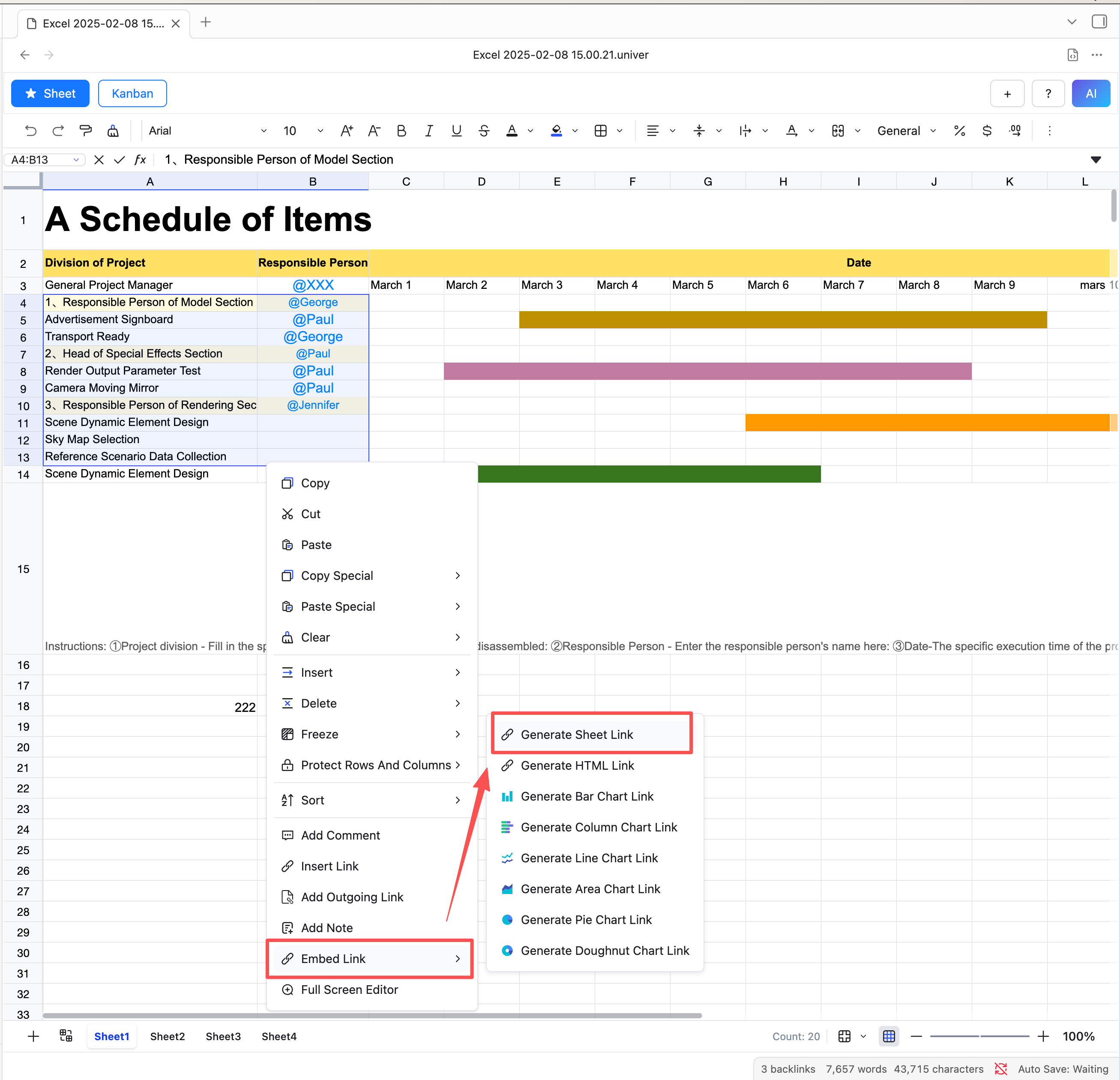
- Select the data range
- Right-click inside the sheet
- Choose
Embed Link - Click
Generate Sheet Link
Sheet Plus will now generate a sheet link and copy it to your clipboard.
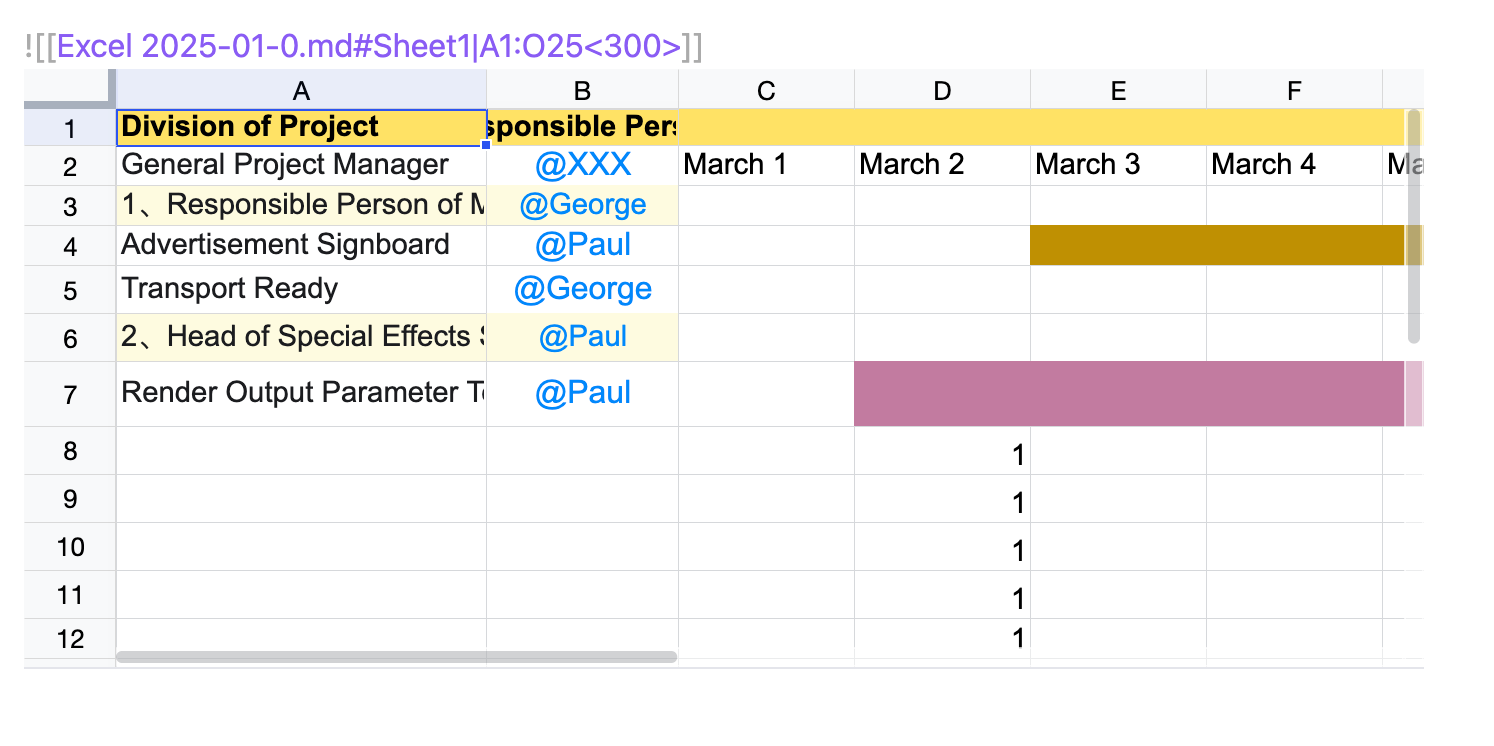
Preview:
Generate HTML Embed Link
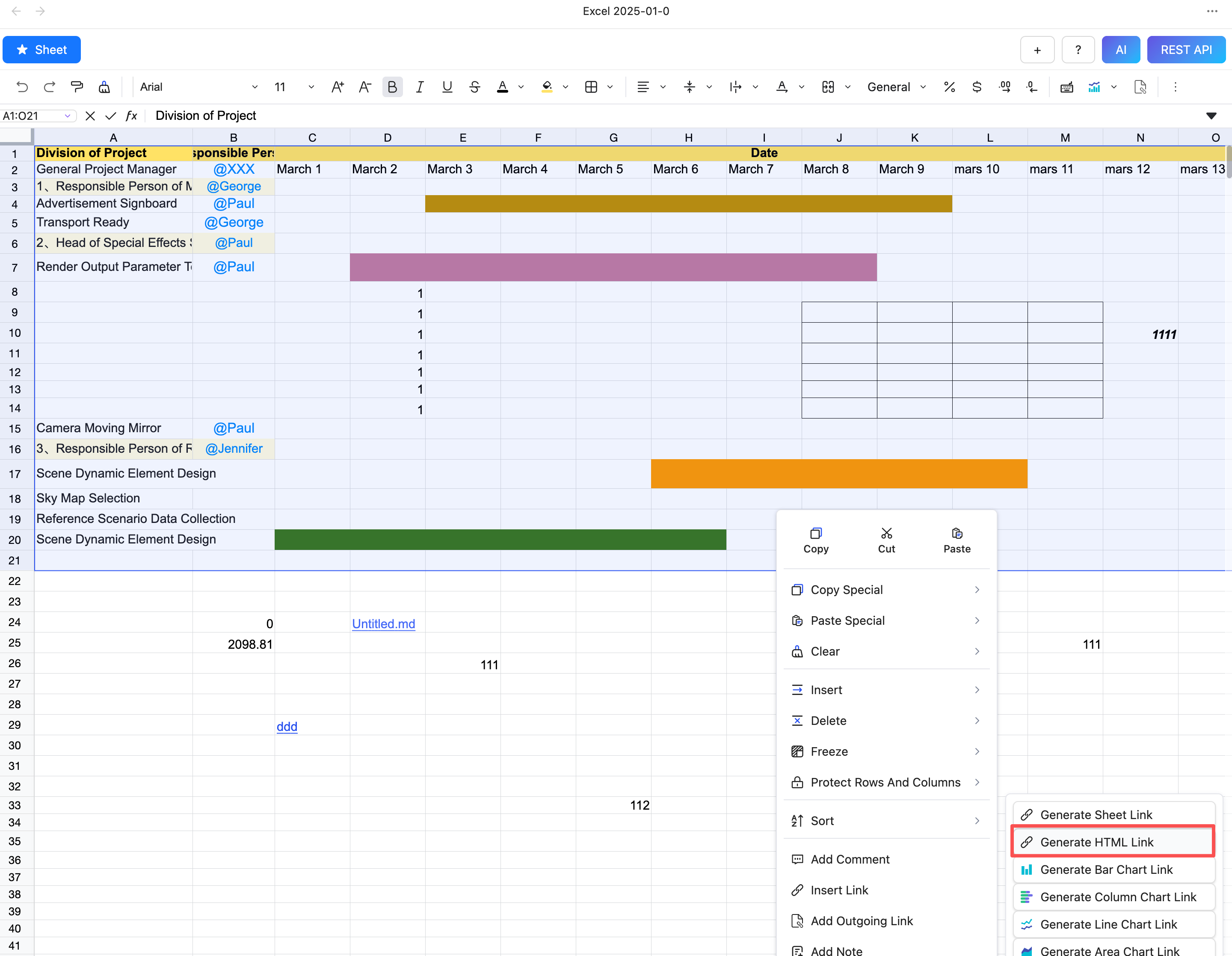
- Select the data range
- Right-click inside the sheet
- Choose
Embed Link - Click
Generate HTML Link
Preview:
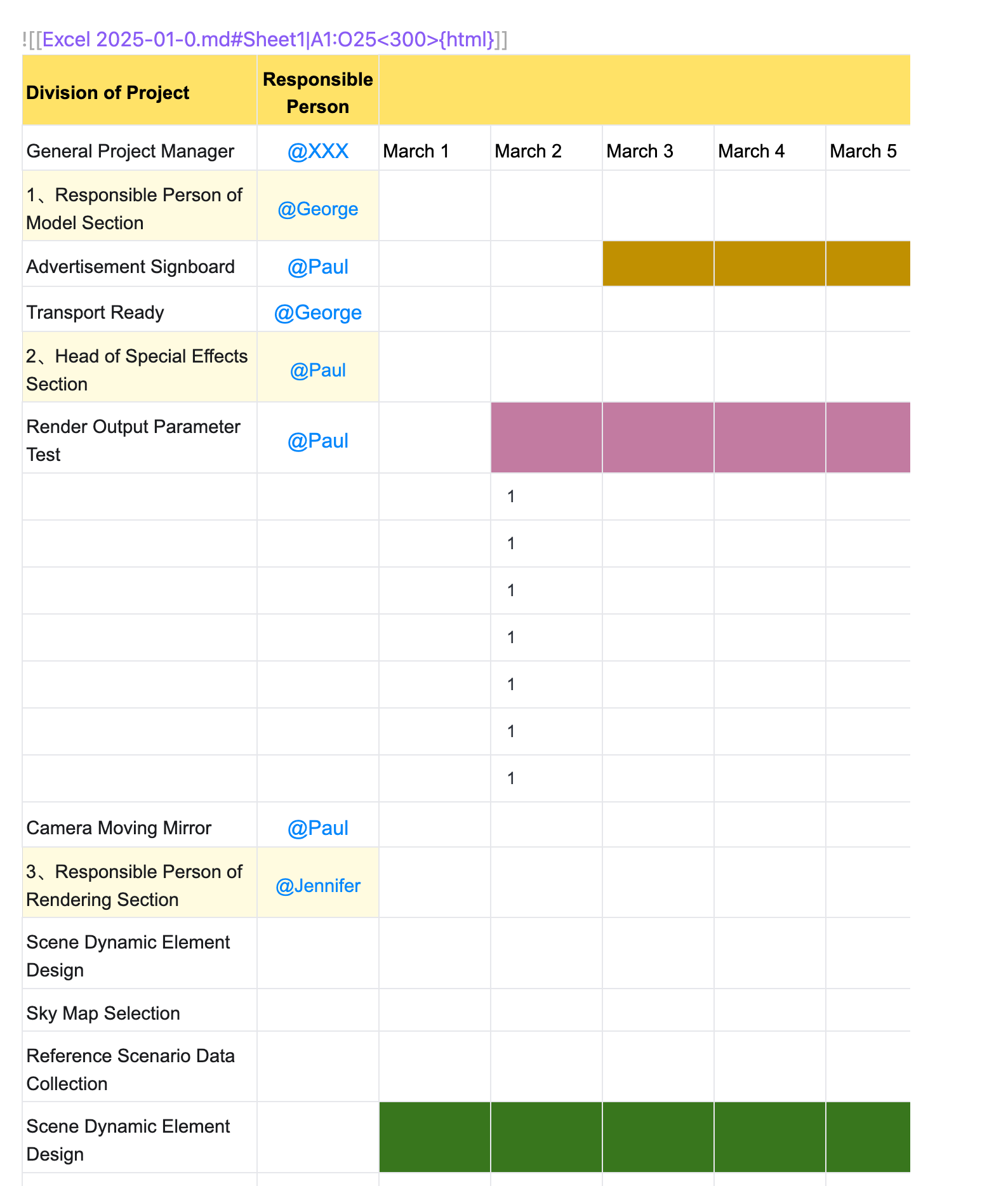
Edit Embed Link
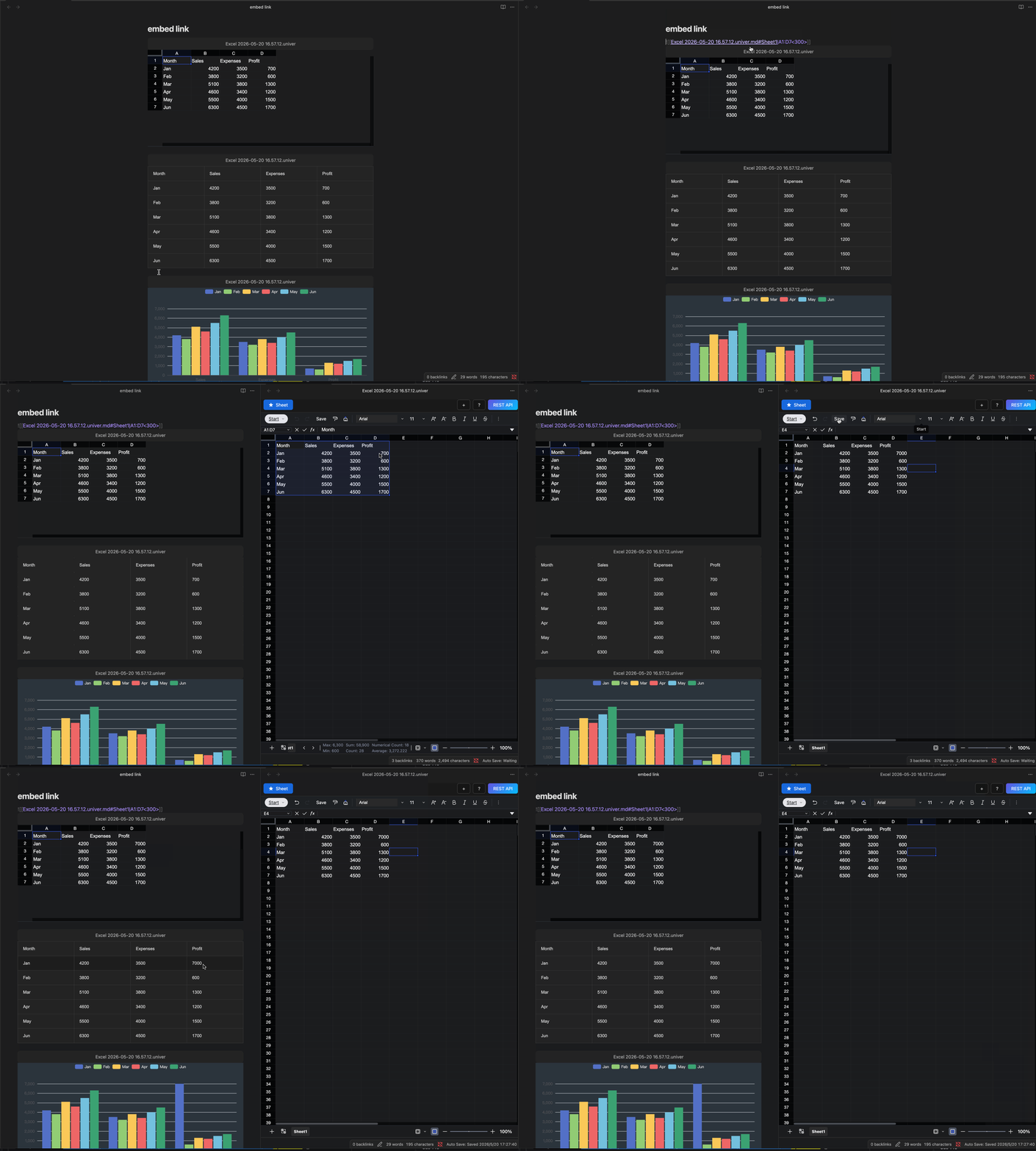
If you want to edit the content of an embedded link, click the jump button to open the sheet in the right split pane. After editing and saving, the embedded link will automatically refresh to reflect the changes.
Embed Link Setting
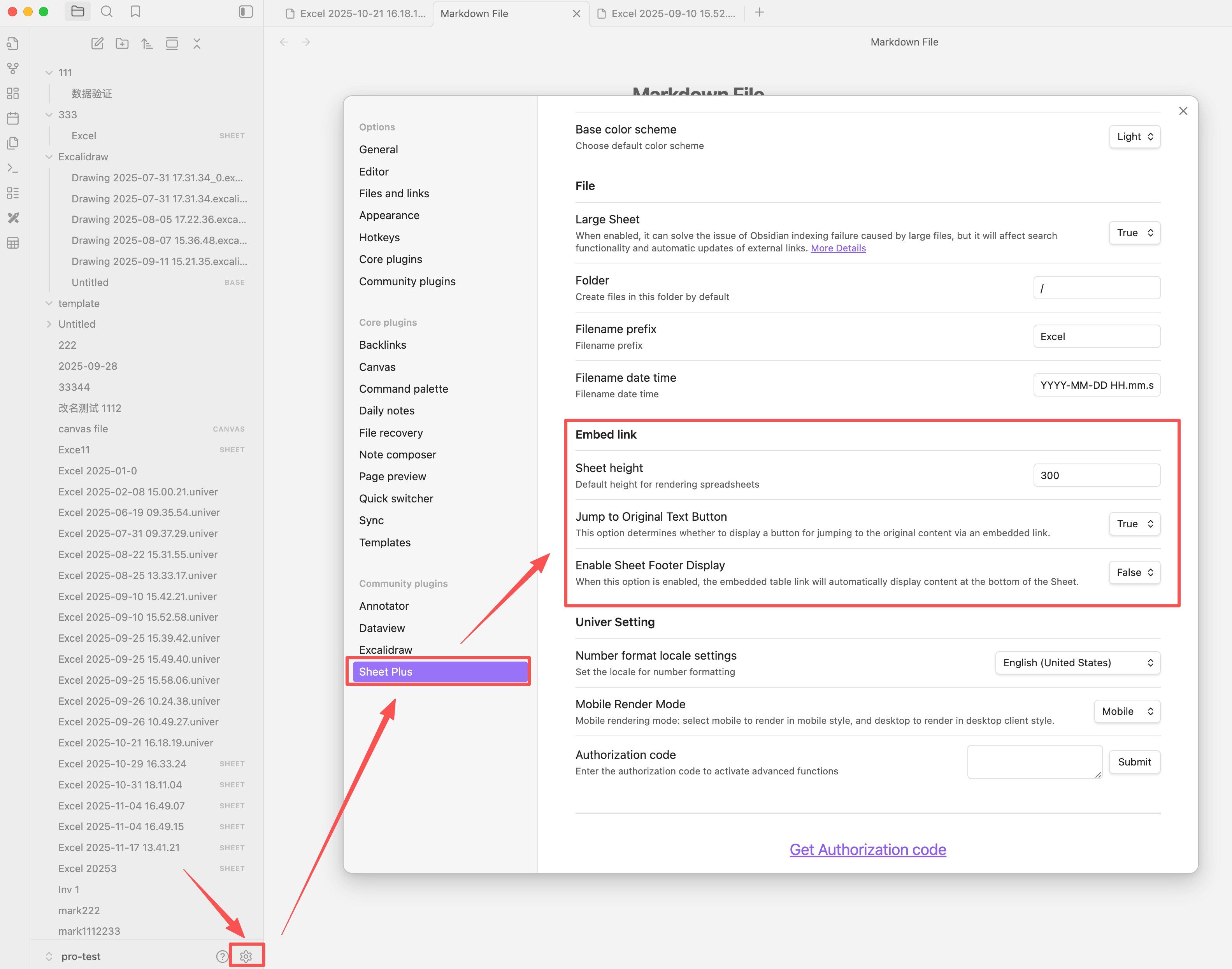
Height Rendering Modes
The embed link ![[sheet.md]] supports two rendering modes, controlled in Settings:
| Mode | Behavior |
|---|---|
| Auto | Height expands naturally based on the sheet content |
| Custom | Fixed height with scroll when content overflows |
Explicit height <500> always takes priority over both auto and custom modes. For example:
![[sheet.md|A1:D4<500>]]This link will always render at 500px height regardless of the global mode setting.
Jump Button
- Show a jump button at the top of the embedded link. Default is
true.
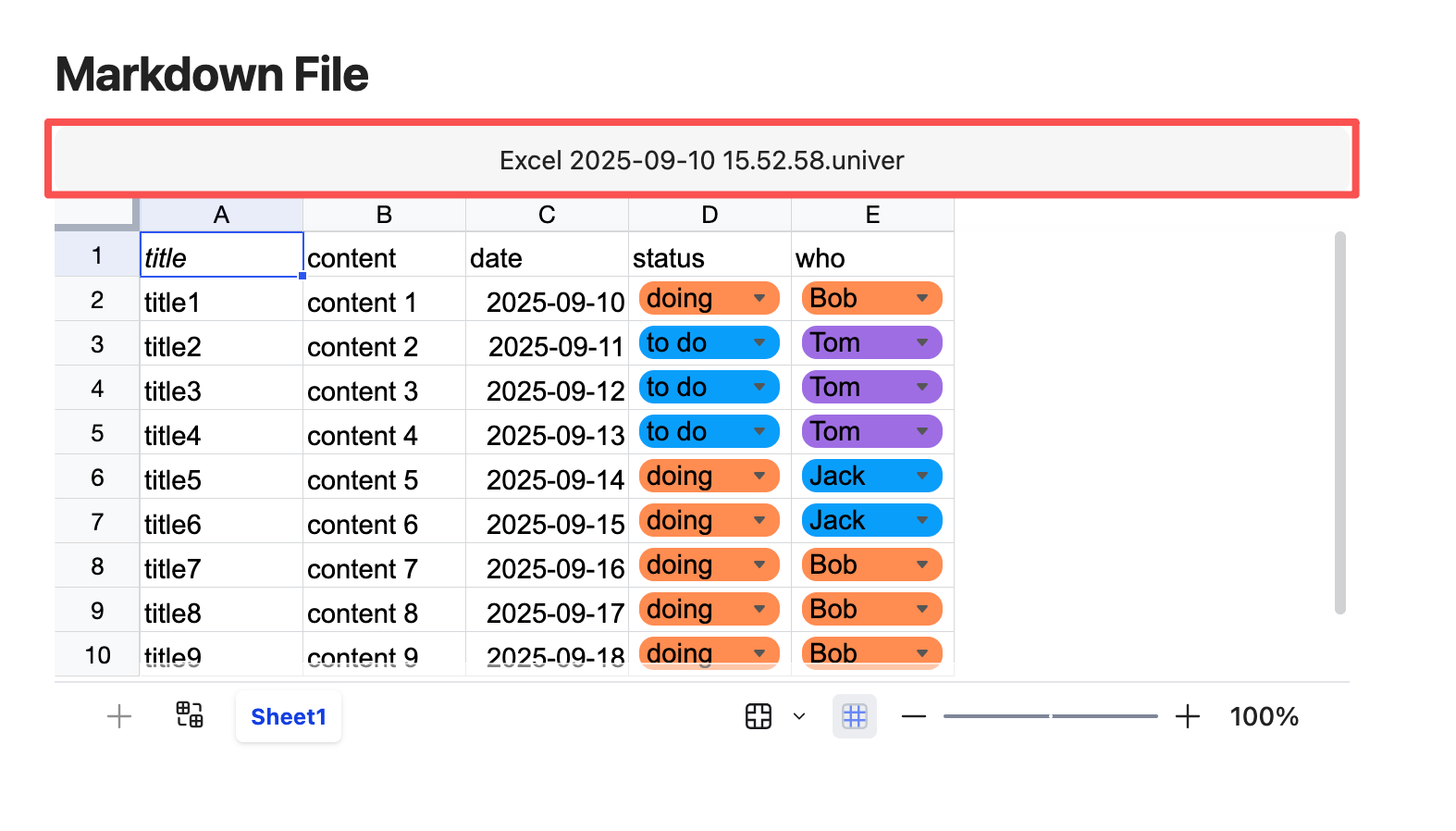
Footer
- Toggle Sheet Footer Visibility of the embedded link. Default is
false.