Charts
Insert Chart
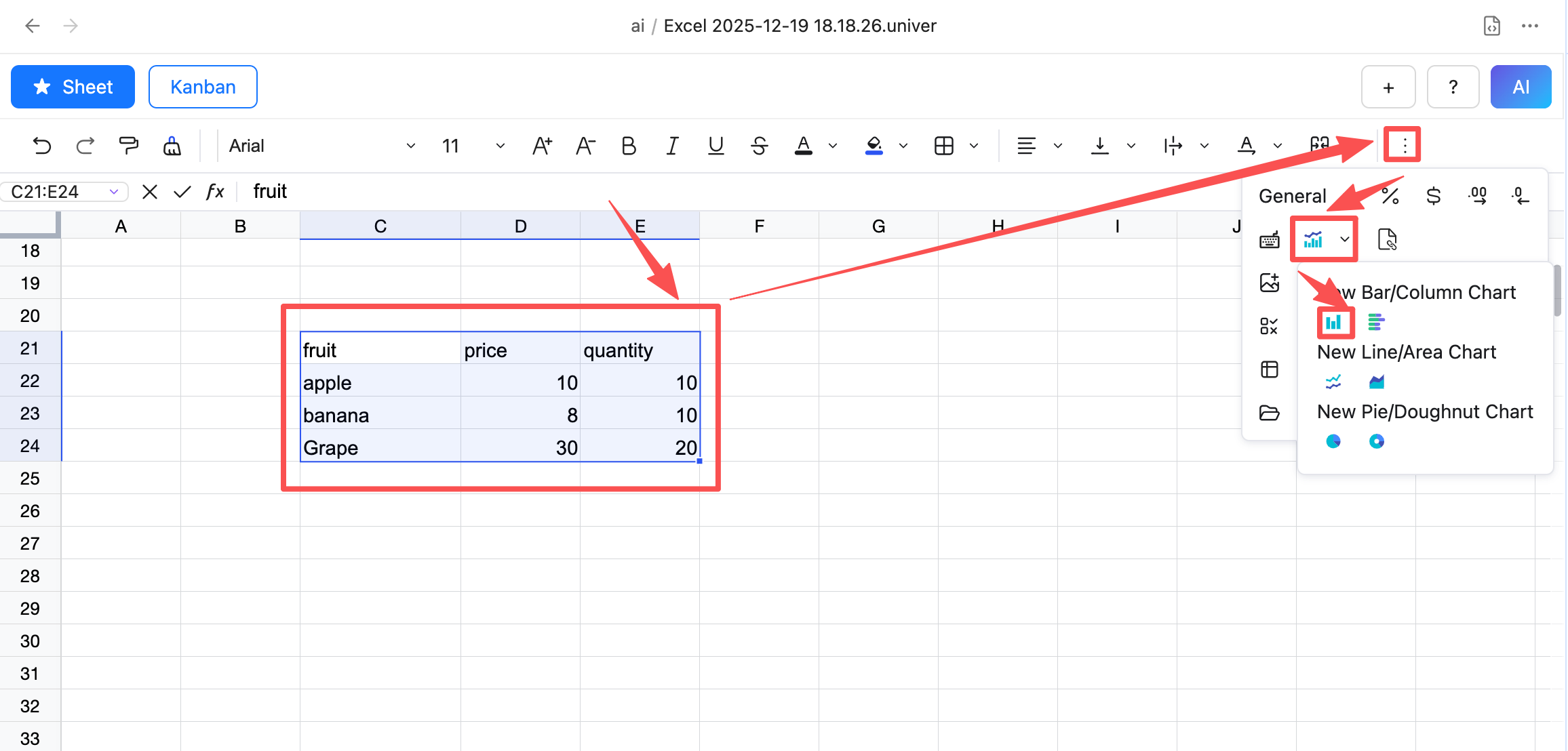
- Select the data you want to insert as a chart
- Click the Insert Chart button in the toolbar and choose the chart type you want to insert
- After clicking OK, the chart is inserted into the spreadsheet
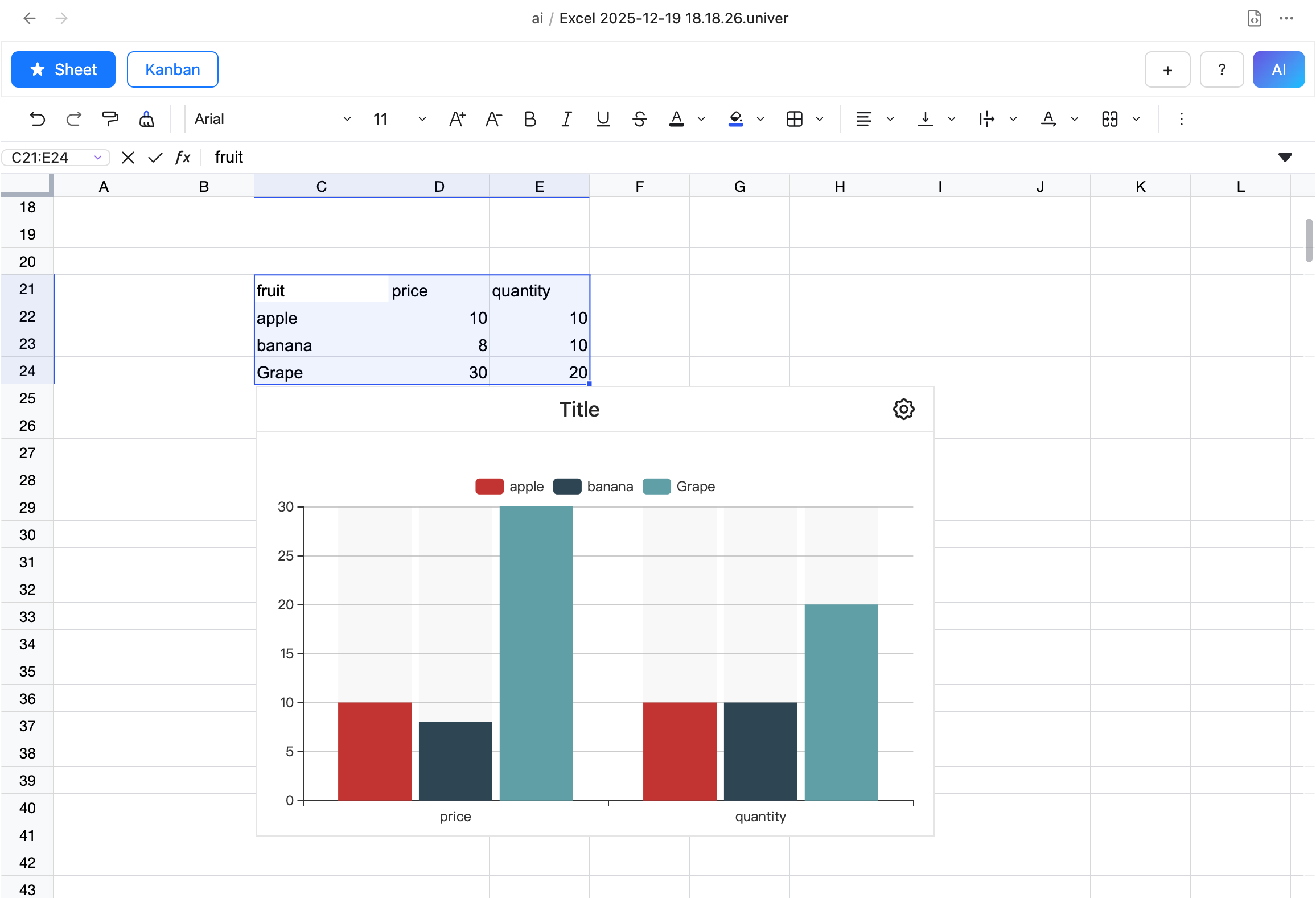
Chart Settings
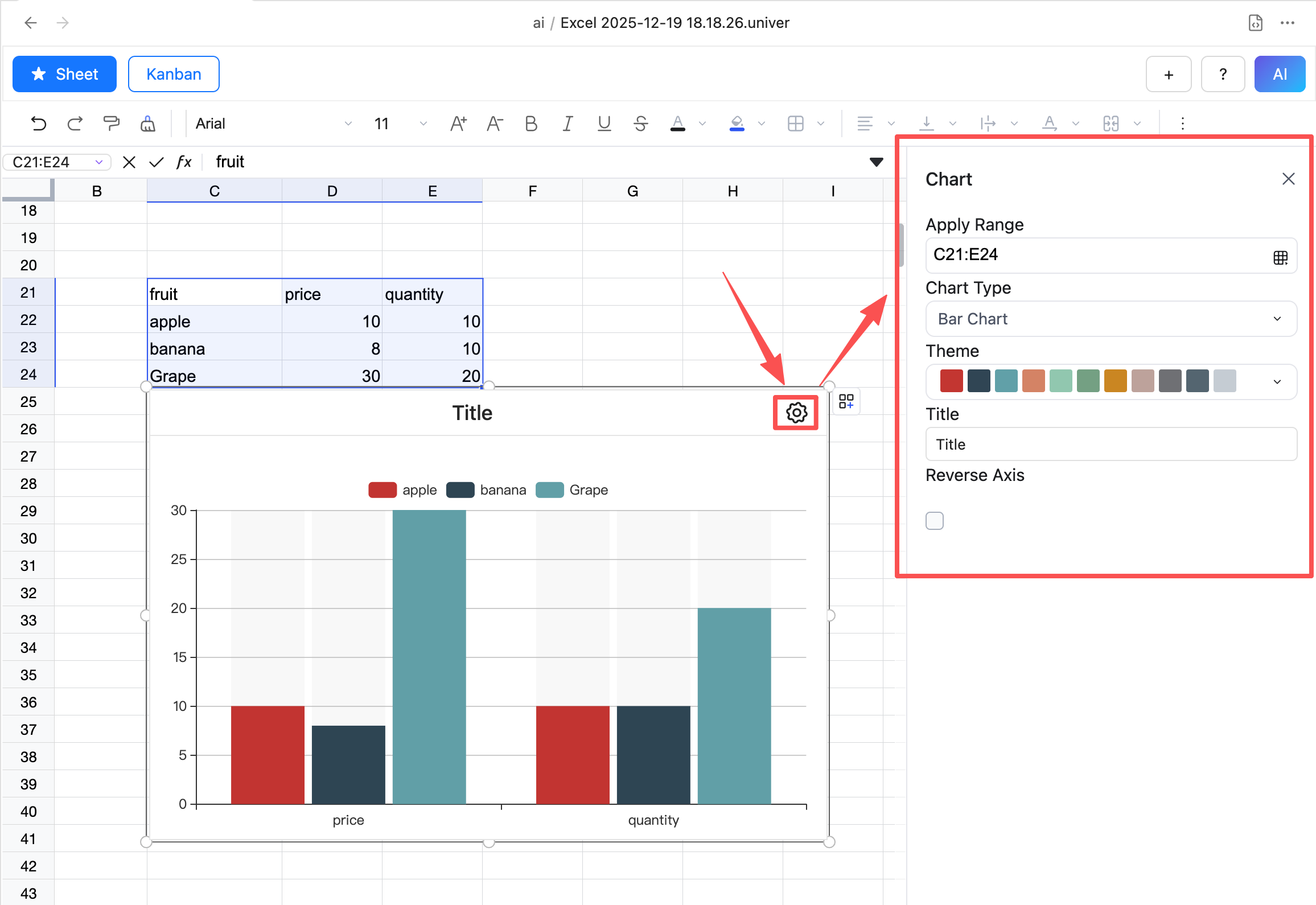
- Select the inserted chart
- Click the Chart Settings button to open the Chart Settings dialog
- In the dialog, you can set the chart title, type, style, etc.
Delete Chart
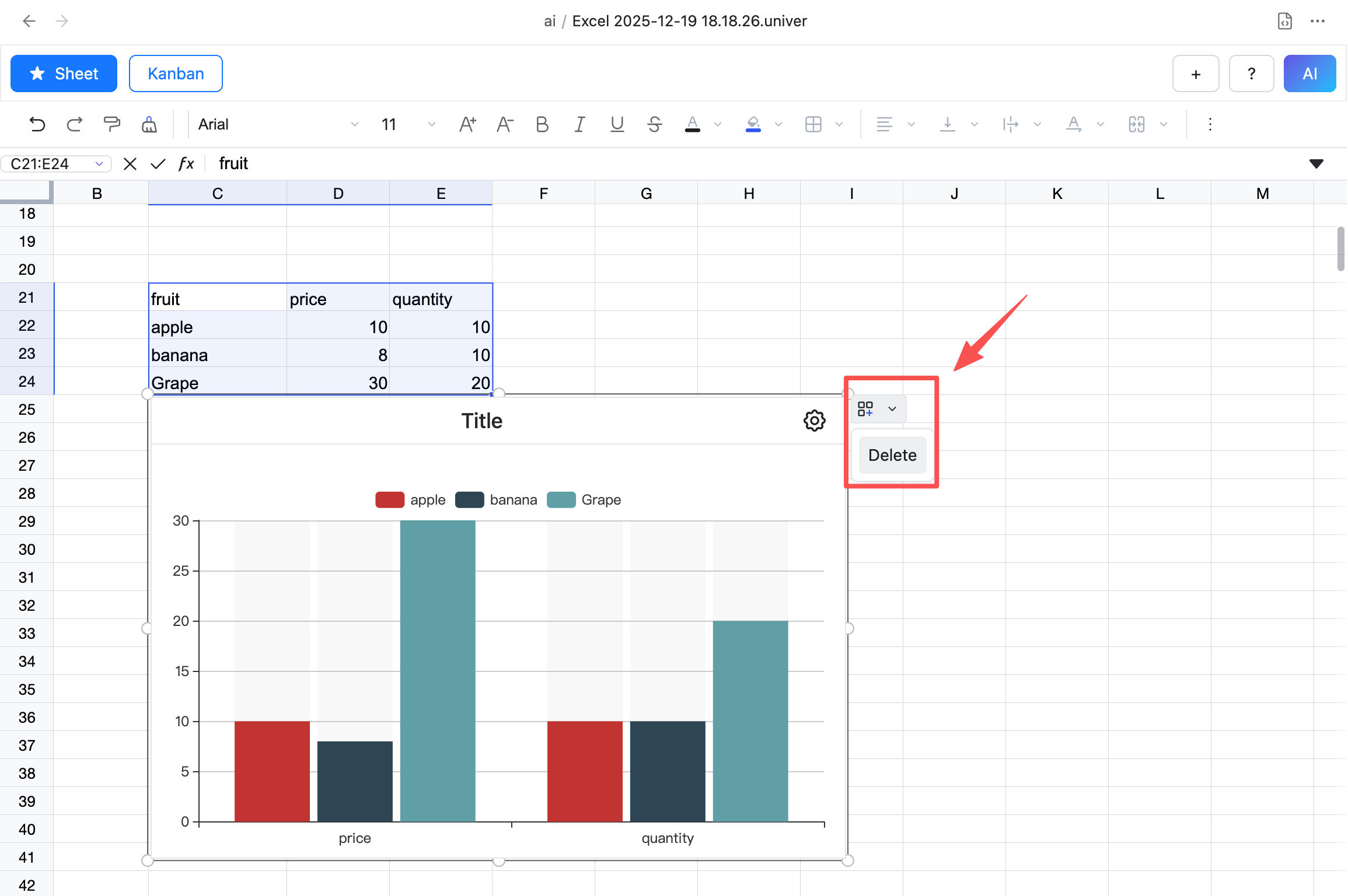
- Select the chart you want to delete
- Click the Delete button, and the chart will be deleted