
Quick Start License Required
License Required
AI Assistant features are available only after license activation.
Get Your API Key
Users in China can use Tongyi Qianwen (Beijing), while users outside China can use Tongyi Qianwen (Singapore) or OpenAI.
Tongyi Qianwen
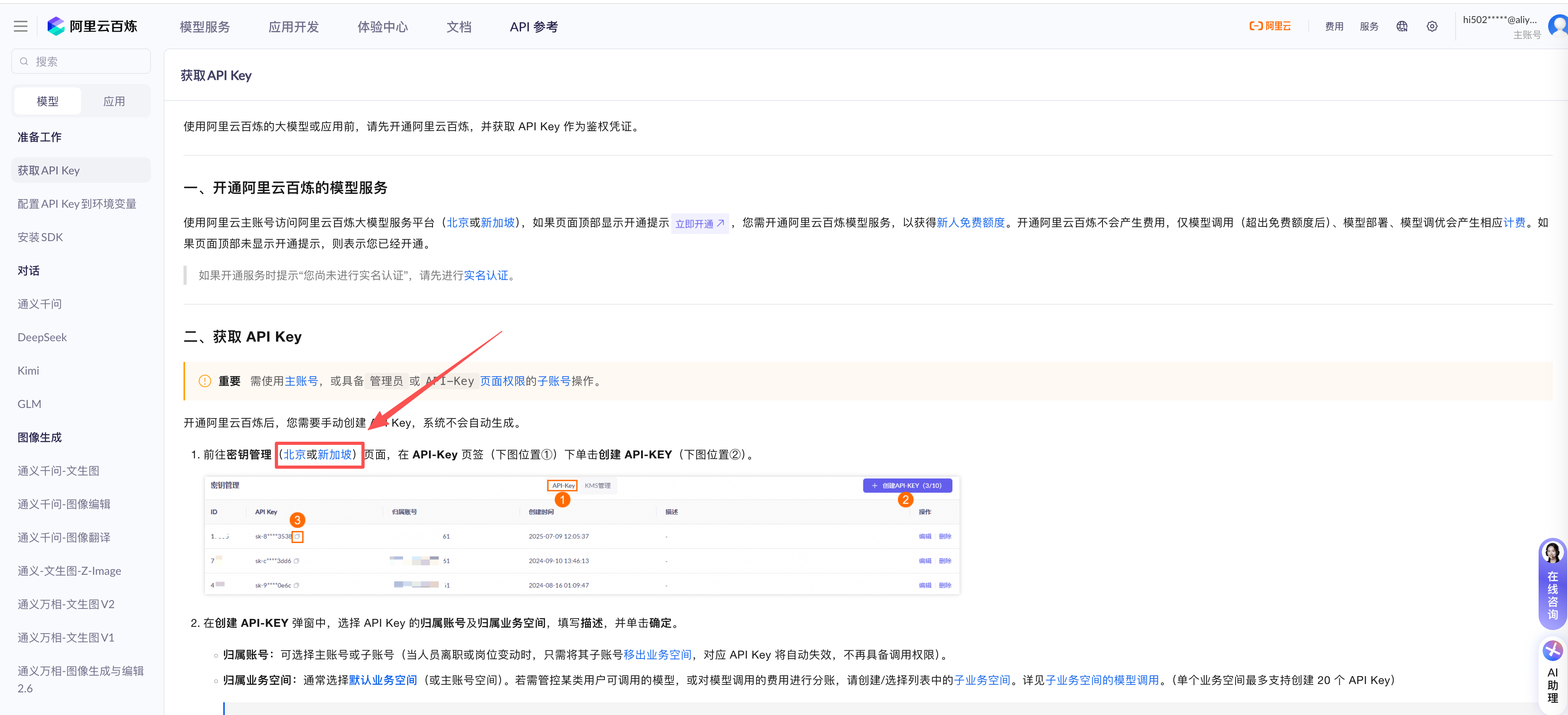
Go to Tongyi Qianwen to obtain your API Key.
After registering your account, navigate to the page for creating an API Key.
NOTE
- Users in China: click “Beijing” to proceed.
- Users outside China: click “Singapore” to proceed.
- Create your API Key.

OpenAI
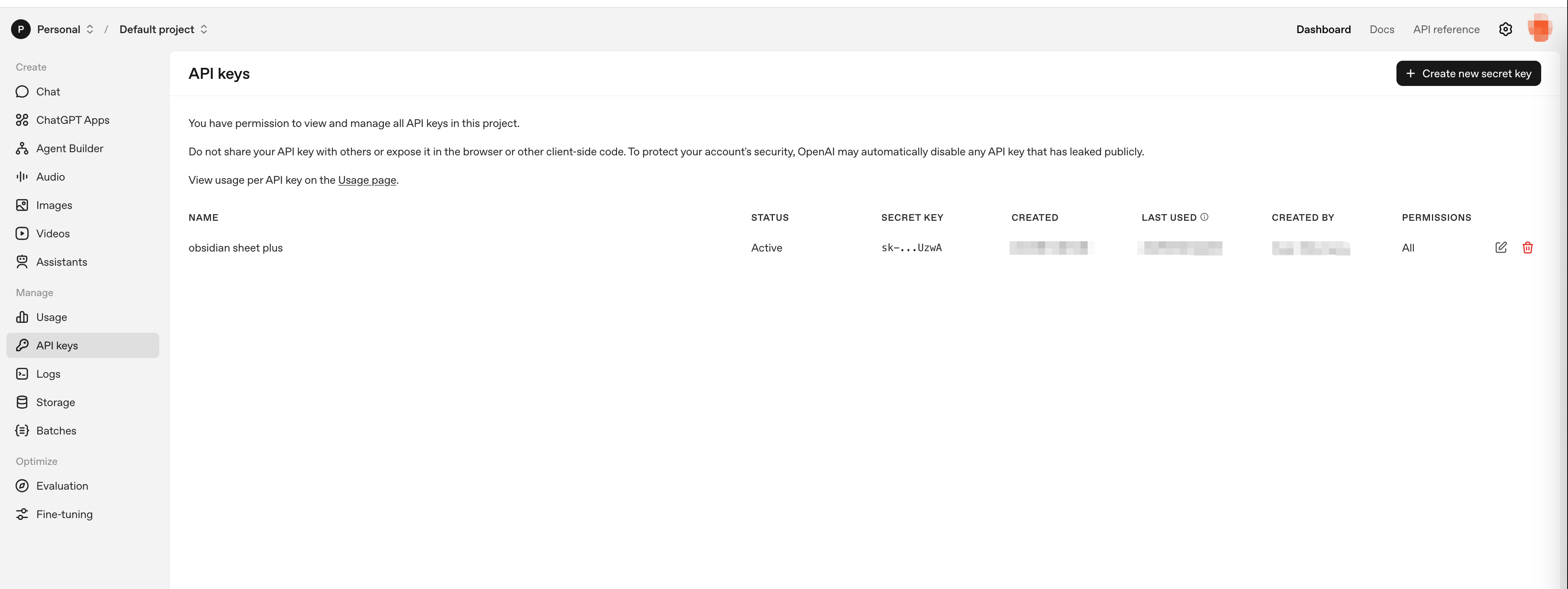
- Go to OpenAI to obtain your API Key; you must register an account first.
NOTE
- Using AI Assistant requires calling the APIs of Tongyi Qianwen or OpenAI, which incurs costs paid directly to the respective service platforms and is separate from the plugin license fee.
- New accounts usually receive a free quota; please check the corresponding billing pages for details.
- Tongyi Qianwen pricing: Tongyi Qianwen Billing
- OpenAI pricing: OpenAI Billing
Configure Your API Key
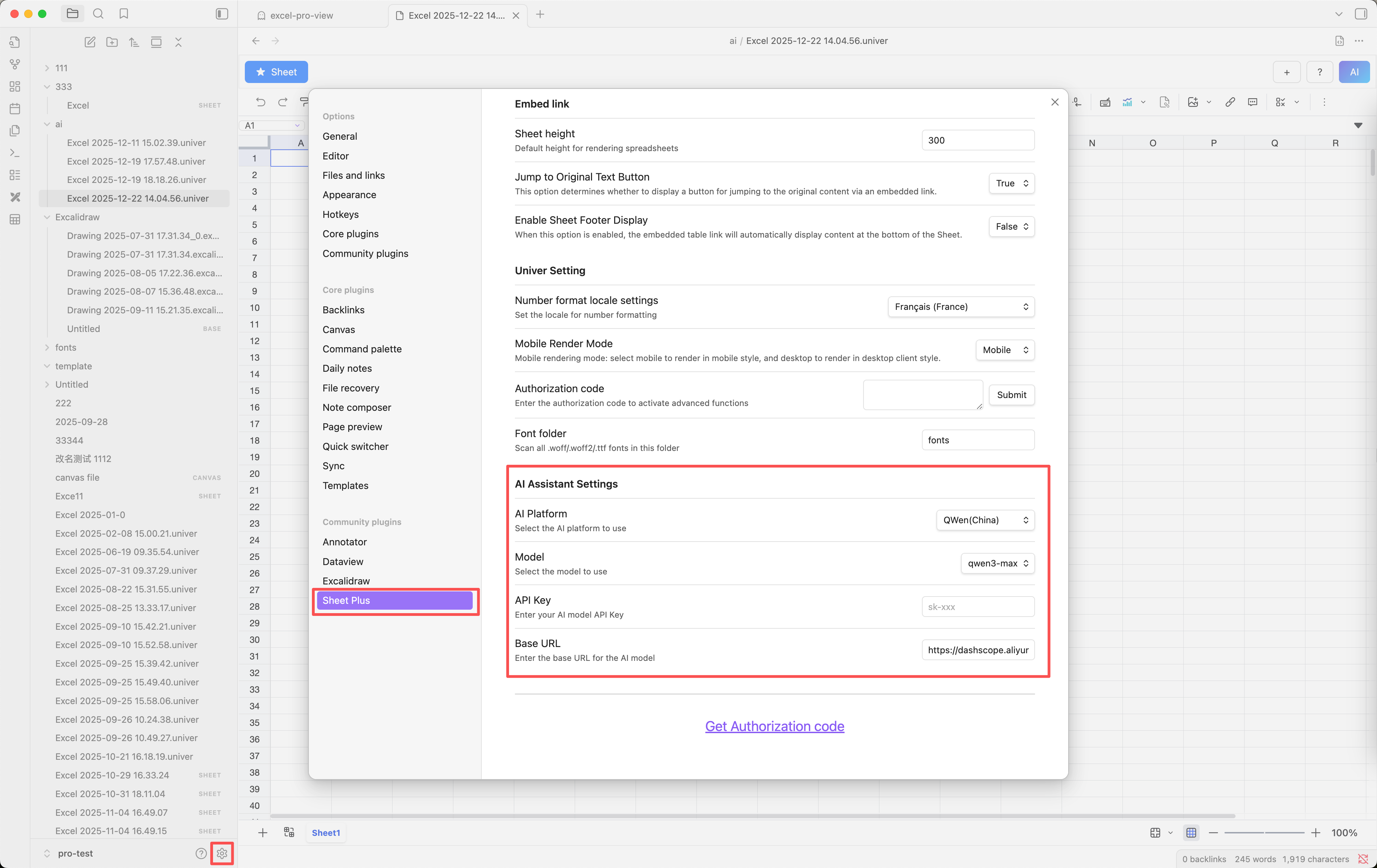
AI Platform: Select the AI platform you registered with.API Key: Enter the API Key you obtained.Model: Choose the model you want to use; different models have different costs. Refer to the corresponding billing page and select a lower-cost model if desired.Base URL: The API endpoint; it will be updated automatically after selecting the platform and usually does not need manual modification.
warning
- This is an experimental feature; feedback is welcome and will be used for future improvements. You can provide feedback through:
- Submit a GitHub discussion
- Join the Discord server and share your thoughts in the #ai-assistant channel
- Email: ljcoder@163.com