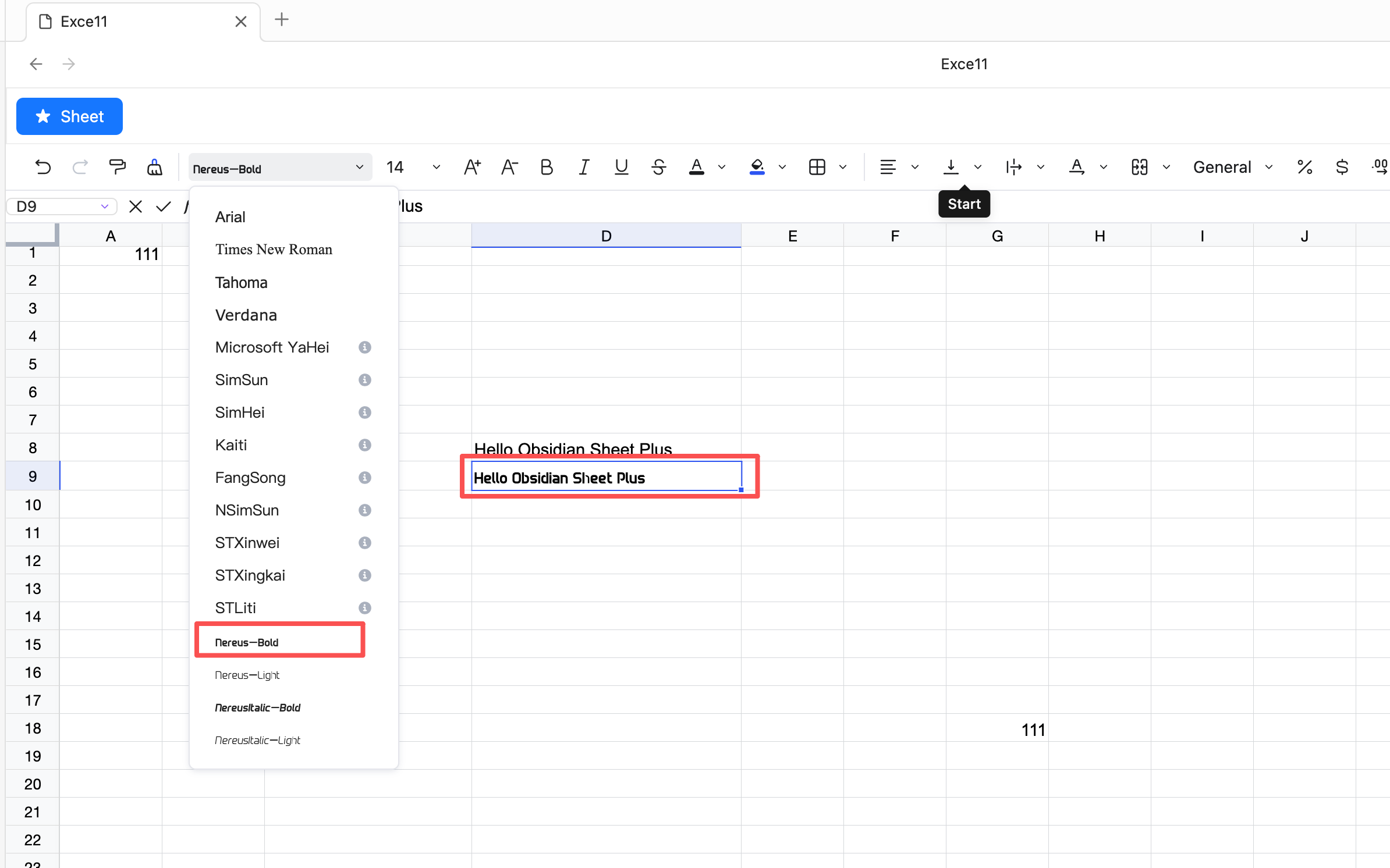
Custom Font
Setting the Font Directory
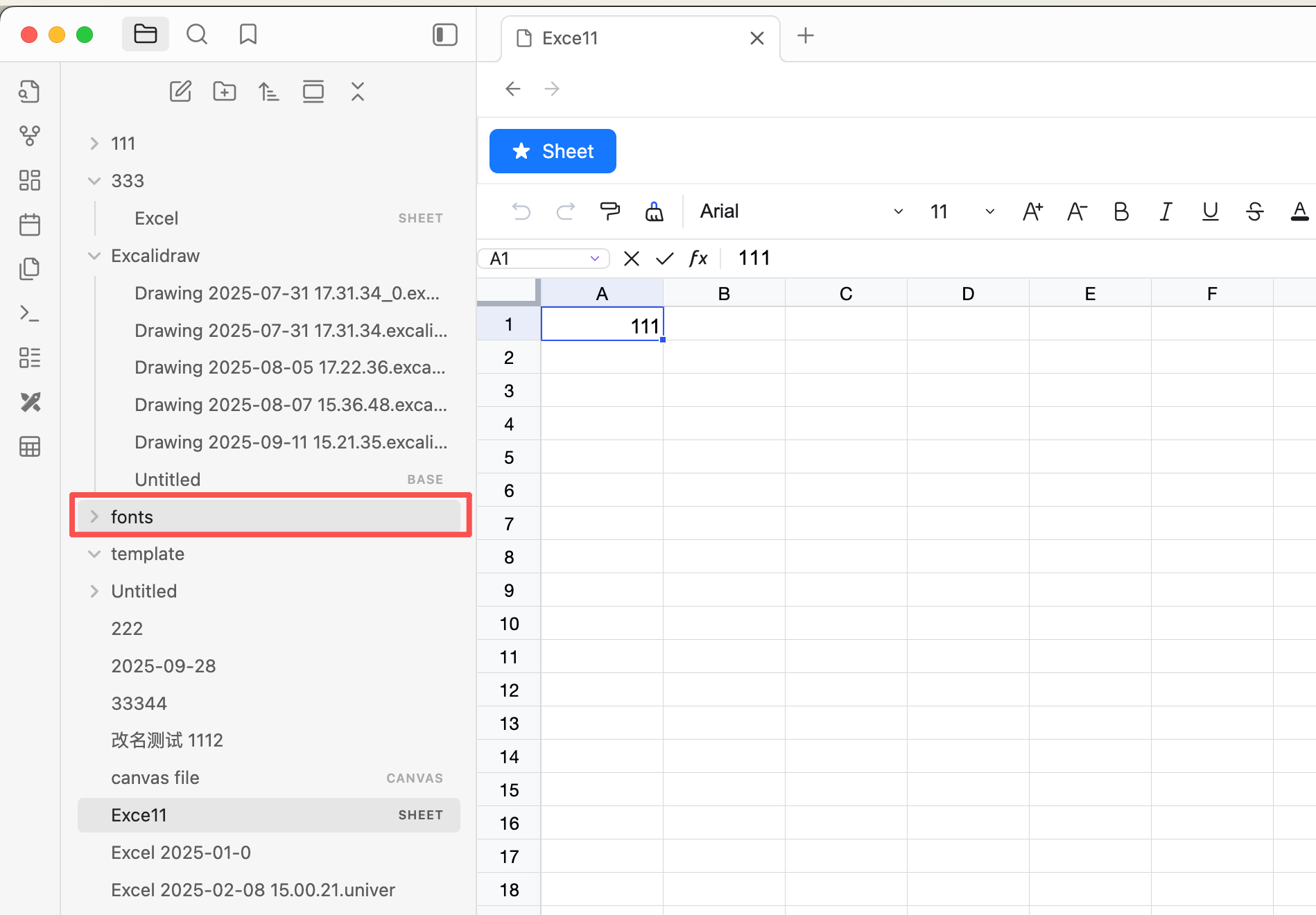
- Create a font directory, for example
fonts
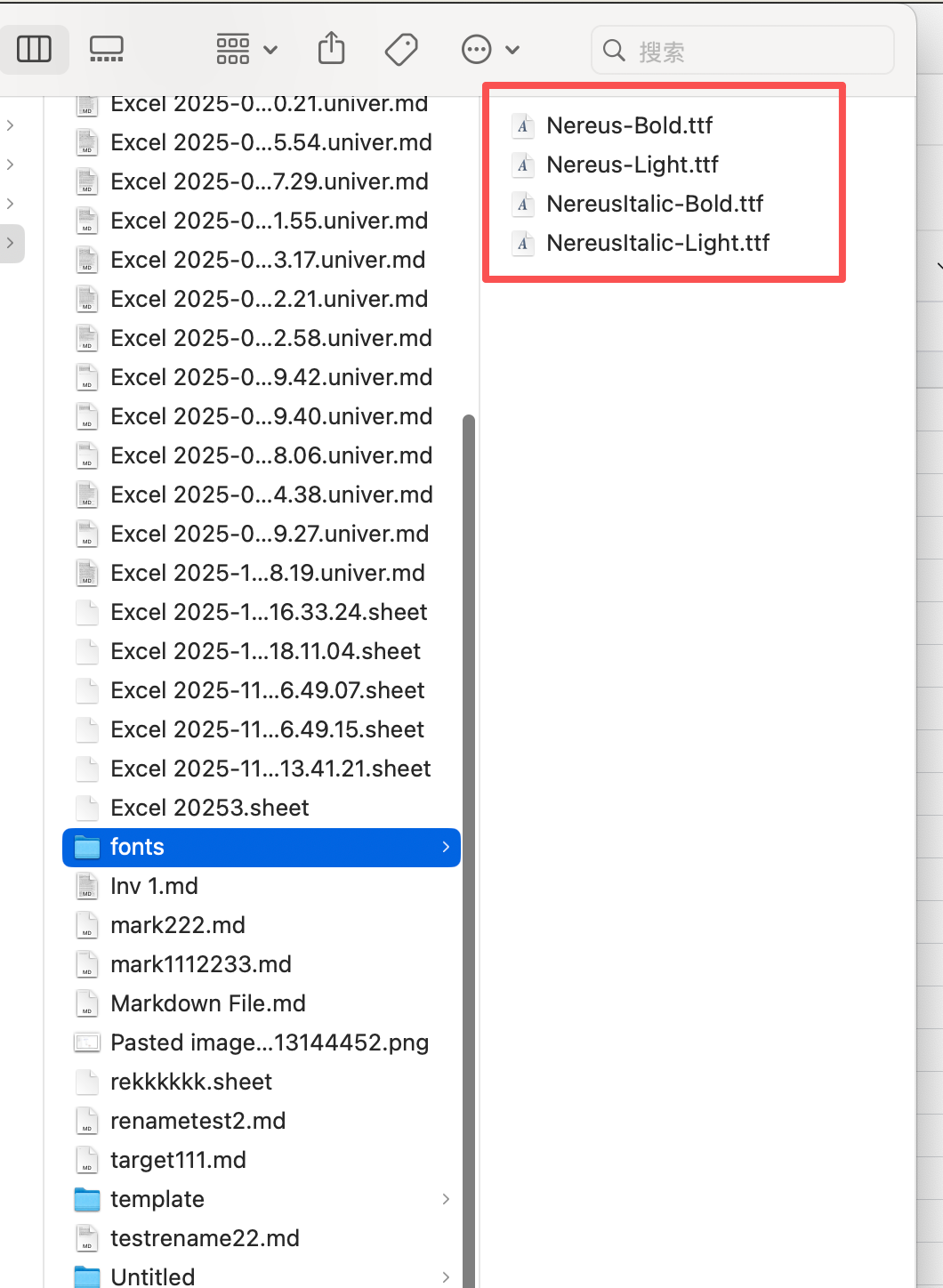
- Place the font files into the font directory
tip
- Supports .woff/.woff2/.ttf font file formats
- Font files will not be displayed in Obsidian; you need to check the folder to see if the fonts have been added
- After setup, restart Obsidian for the changes to take effect
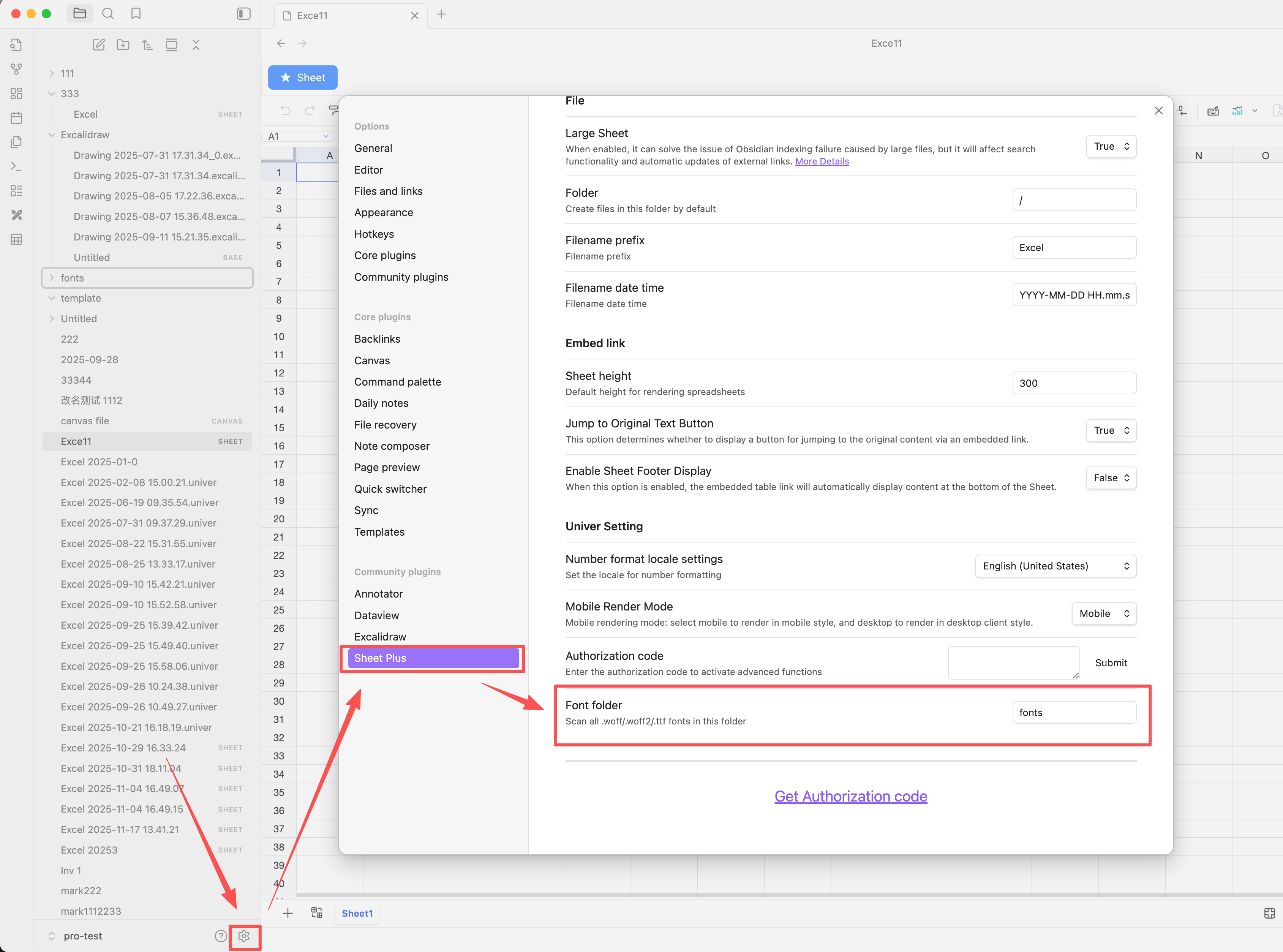
- Set the font directory in the settings page
Setting the Font
- Set the font in the sheet